
Your AI data agent for product teams
You built it. Now see how people use it.
Which features are people using? Where do they drop off? Tartini AI adds tracking to your website, organizes the data, and builds dashboards that show you what's happening.
Start with 5,000 free CreditsNo credit card required.
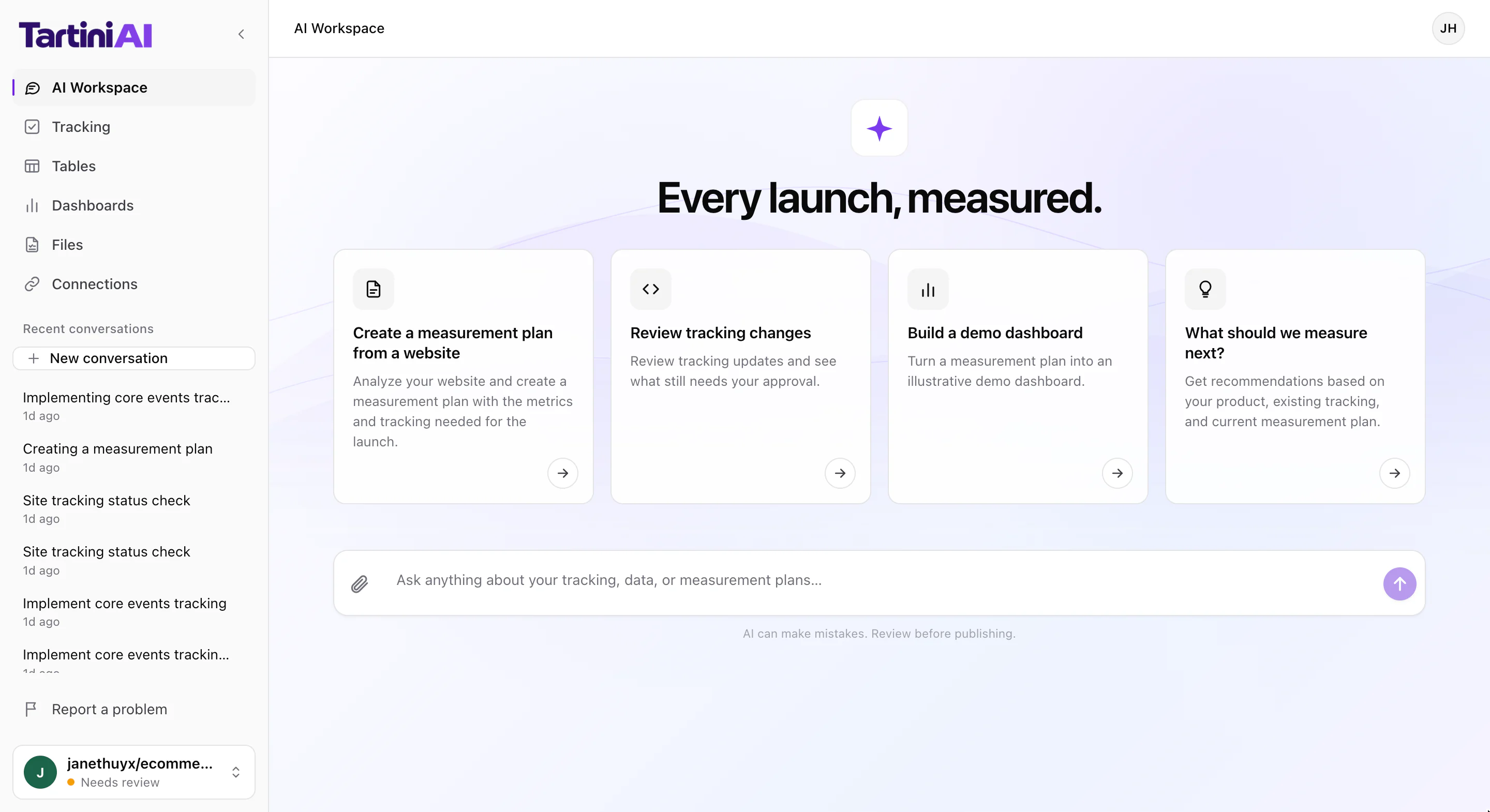
- See what people doFind out what people click, which features they use, and more.
- Keep your data up to dateTurn the information you collect into organized tables that update automatically.
- Review changes before they go liveSee what Tartini AI prepares and approve changes before they're published.
- Works with your existing toolsConnect GitHub, Google Analytics, and BigQuery.
How Tartini AI works
From collecting data to seeing the results.
Tartini AI helps you record what people do on your website, get your data ready, and create charts that answer your questions. No dedicated data team needed.
-
1
Record what people do.
Want to know which buttons people click or whether they're signing up?
Tartini AI checks your website's code and prepares the changes needed to record those actions. You can review everything before the changes go live.
You askNow start implementing this measurement plan. Add the tracking needed for the core events.Tartini AIAdded to the draft: the Tartini Autocapture component mounted once inapp/layout.jsx. Your plan's 5 shop events were already in code, so this was the missing tracking.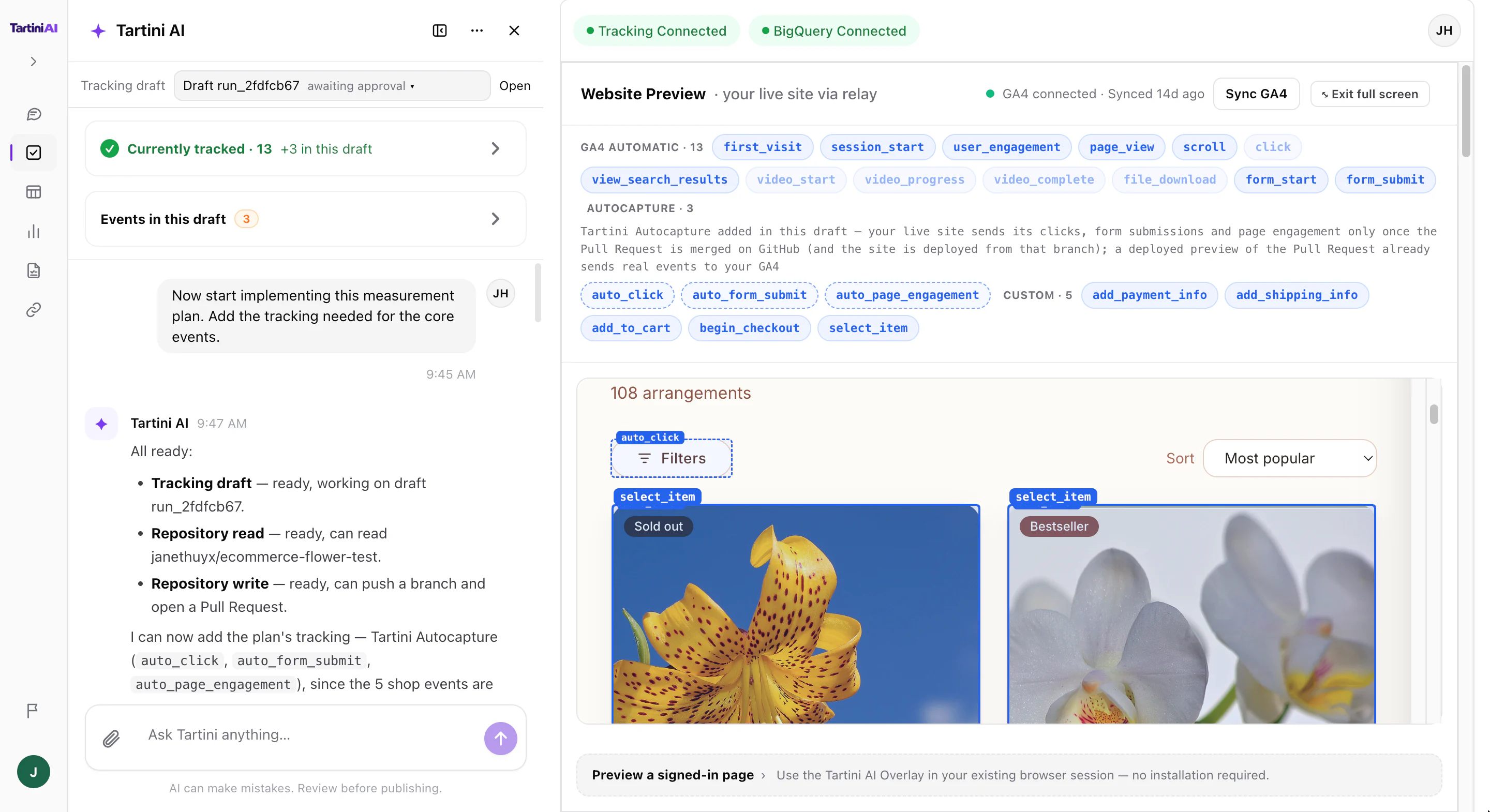
-
2
Get your data ready.
Tartini AI helps you organize the information your website collects into tables you can use.
Calculate daily totals, count how many people take each action, and keep your data updated automatically.
You askBuild a daily scheduled table from the GA4 export: one row per day and event name, with the number of events and the number of users.Tartini AIBuiltagg_daily_events: one row per day and event name, withevent_countanduser_count. Google refreshes it daily at 02:00 UTC.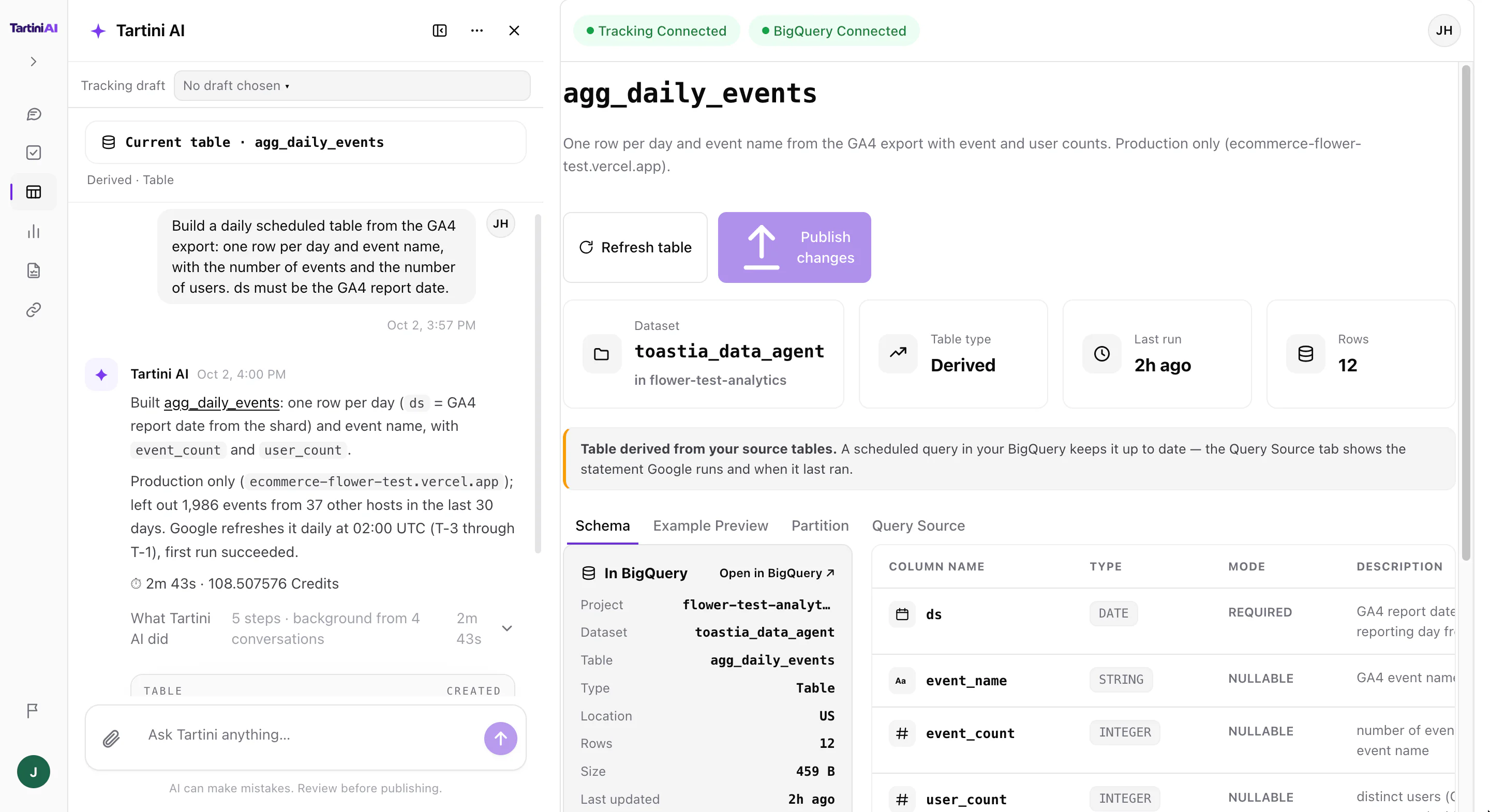
-
3
See the results.
Turn your data into clear charts and dashboards.
See which features people use, how things change over time, and where your numbers come from.
You askList this project's dashboards. For 'Event Analytics', tell me which BigQuery tables and columns its widgets read, then run the query behind its first chart and give me the numbers.Tartini AIEvent Analytics has 14 widgets. First chart Total events (2026-09-03 to 2026-10-02): 2,203 events vs 133 in the previous equal period.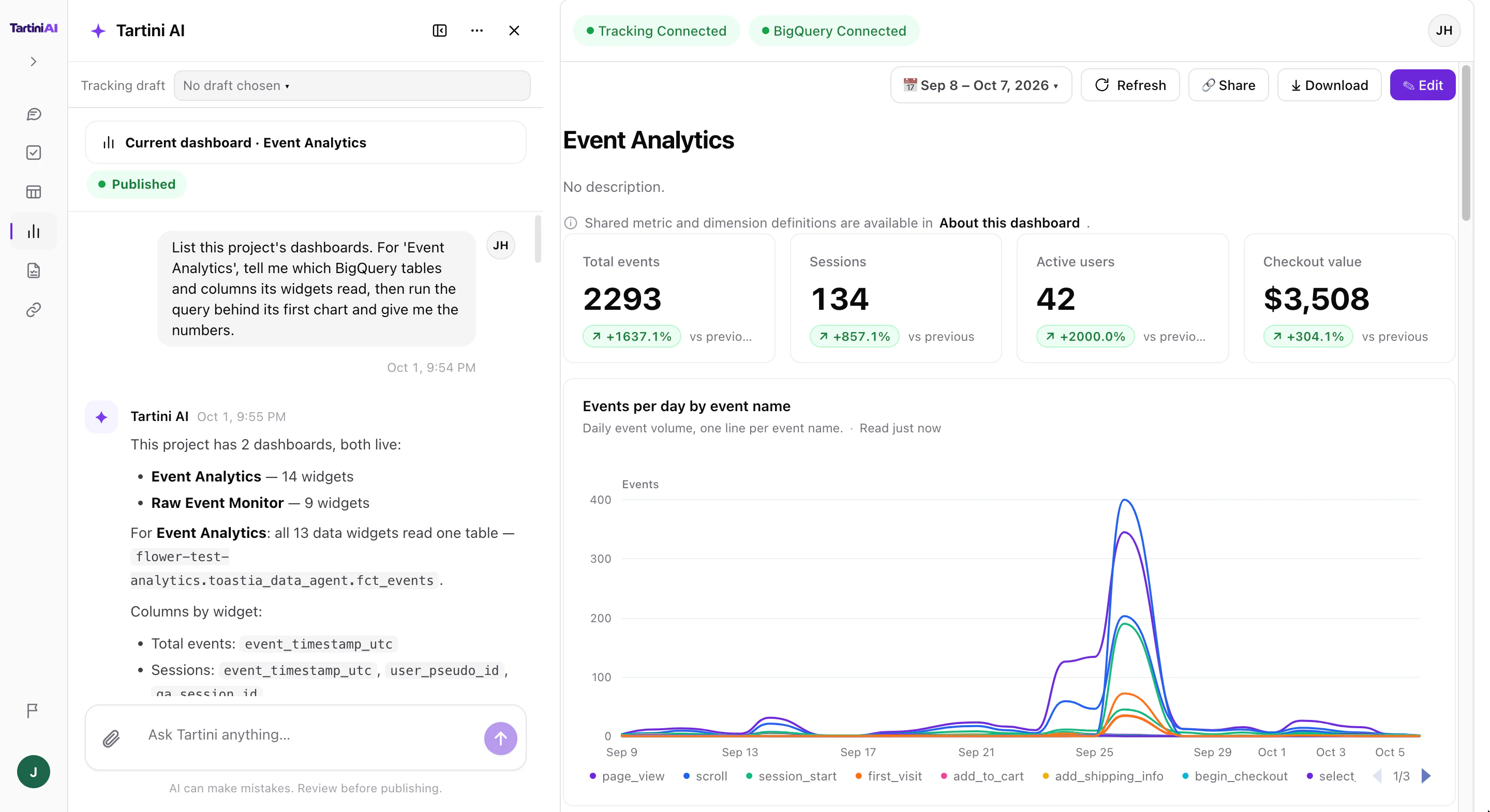
Pricing
Start free. Add Credits when you need more.
Every new account comes with 5,000 free Tartini Credits. Credits are used as Tartini AI works on your requests, and usage depends on the AI work involved. Add more whenever you need them.
Included once with every new account. No credit card required.
Pay as you go. Your credit balance is used for AI calls, with no fixed monthly subscription.
Connections
Works with the tools you already use.
Tartini AI connects to your code and data so you can record what people do, prepare your data, and see the results.
- GitHubReview and approve changes to your website's code.
- Google AnalyticsCollect information about what people do on your website.
- BigQueryStore and organize your data for reports and charts.
- More coming soonTell us what you need